The BOM Table: Every Component, Instantly
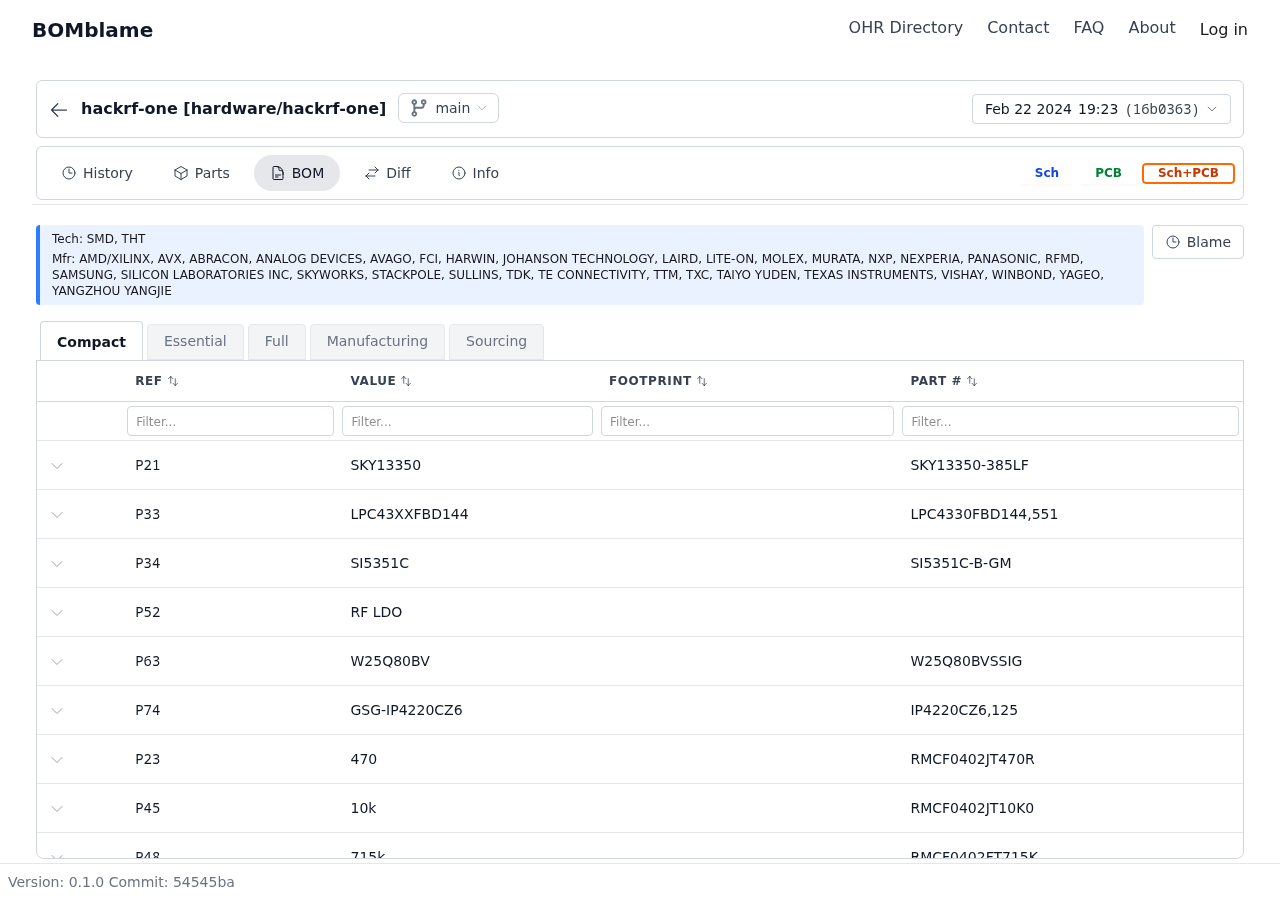
Open the BOM tab and you see every component on the board: reference designator, value, footprint, manufacturer part number. Filter between Compact, Essential, Full, Manufacturing, and Sourcing views depending on what you need.
What you see in seconds:
- 180+ components with full part data
- Filter by MFR, value, footprint — find what you need without scrolling through a spreadsheet
- Switch between Schematic, PCB, and combined views with one click
No CSV export. No column mapping. BOMblame reads the KiCad files directly from the git repo.
Design State: What's Mounted, What's Missing
The Design State bar at the top tells you the health of this revision at a glance:
- Mounted — components with physical footprints placed on the PCB
- Sourcing — which parts have manufacturer/supplier data filled in
- Board Features — connectors, mounting holes, fiducials counted separately
For HackRF One, the latest revision shows full mounting — every component is placed. But scroll through older commits and you'll find revisions where parts were still DNP (Do Not Populate), giving you a clear view of how the design matured.
Diff: What Changed Between Any Two Revisions
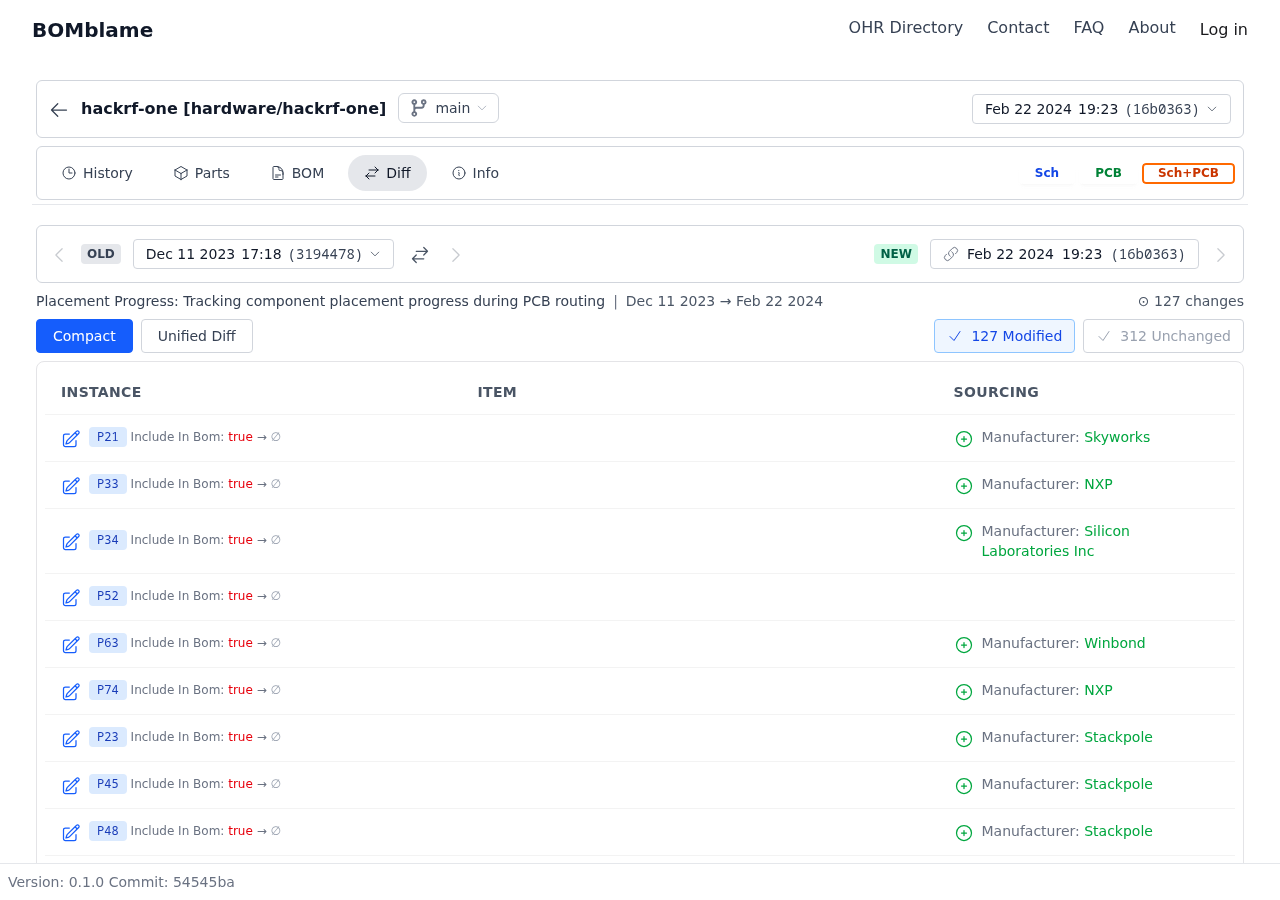
Pick any two commits and BOMblame shows exactly what changed. The diff view gives you:
- Unified Diff — all changes in one list, color-coded
- Side by Side — old vs new, component by component
- Cost Analysis — see cost impact of changes
- Availability — sourcing status changes between revisions
- Smart Groups — changes grouped by type (added, removed, modified)
Real example: Compare HackRF r8 to r9 and you immediately see:
- U17 changed from MAX2837 to MAX2839 (baseband transceiver upgrade)
- U19 changed from Si5351C to Si5351A (clock generator swap)
- Surrounding passives adjusted for the new ICs
Two major IC swaps and their cascading effects — visible in one screen, not buried in commit diffs.
Blame: Who Changed This Part, and When
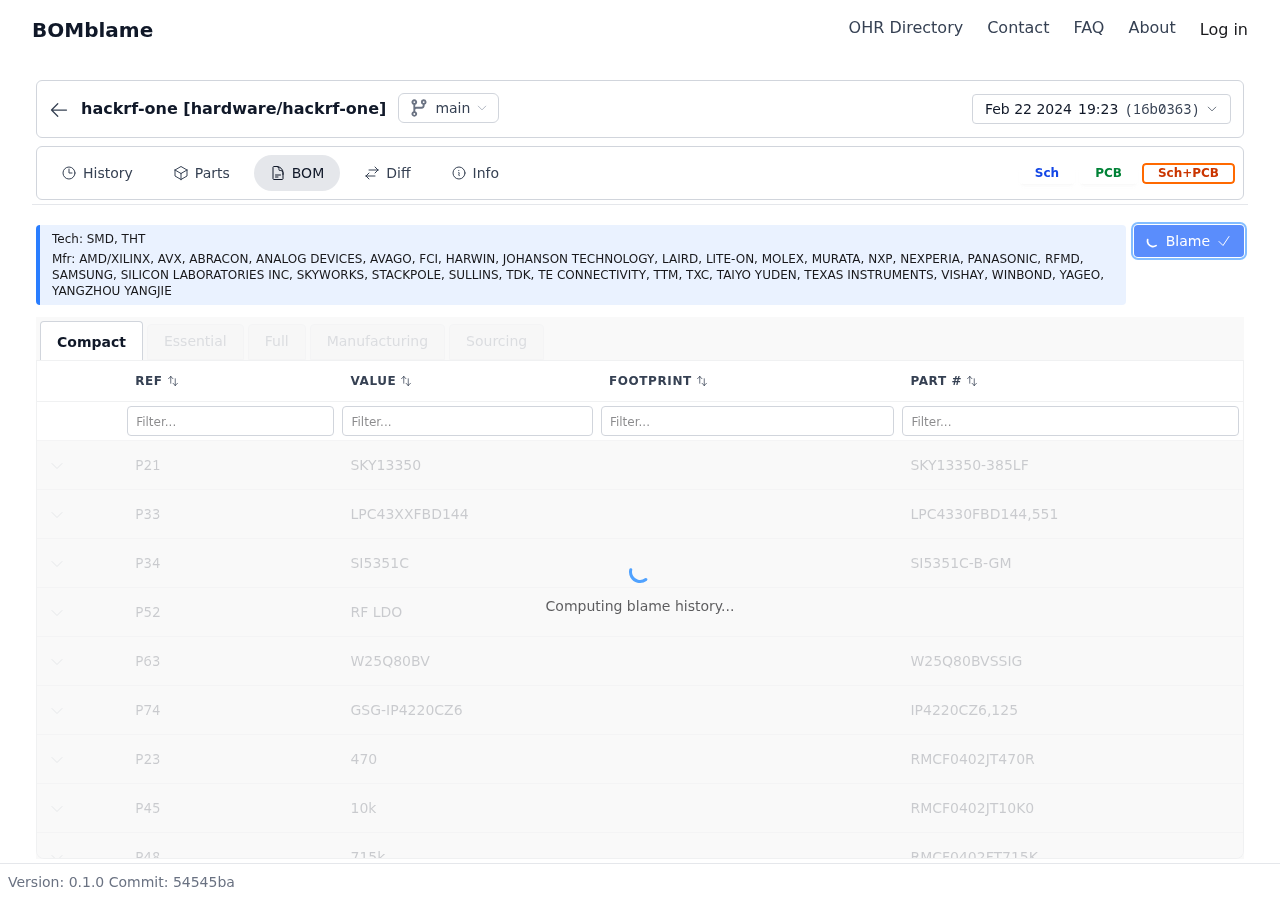
Like git blame for code, but for your BOM. Every component row shows:
- Who added or last modified it
- When — the exact commit date
- What commit — click through to the full context
Why this matters: "Why is this resistor 100 ohms instead of 0 ohms?" Click the blame column and you see: ae2a983f — HackRF One: change R60 from 0 ohms to 100 ohms by Michael Ossmann, November 2022. Question answered in one click.
Parts Library: Components Across the Project
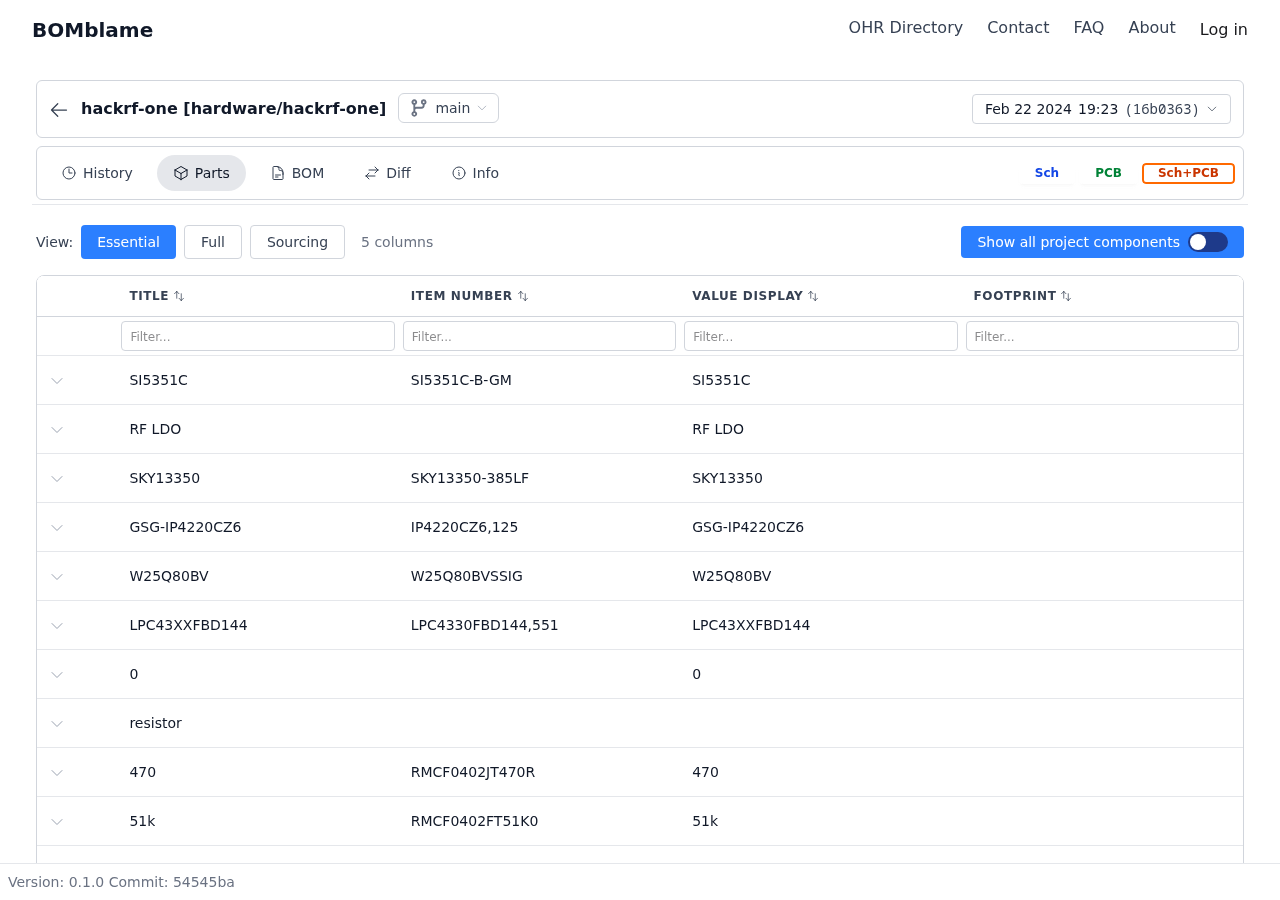
The Parts tab shows all unique components used across the project — deduplicated, with item numbers and footprints. Useful for:
- Quick component audit — what parts are we using?
- Cross-referencing with your preferred supplier
- Checking if a specific part is used anywhere in the design
History: 10 Years of Commits, Navigable
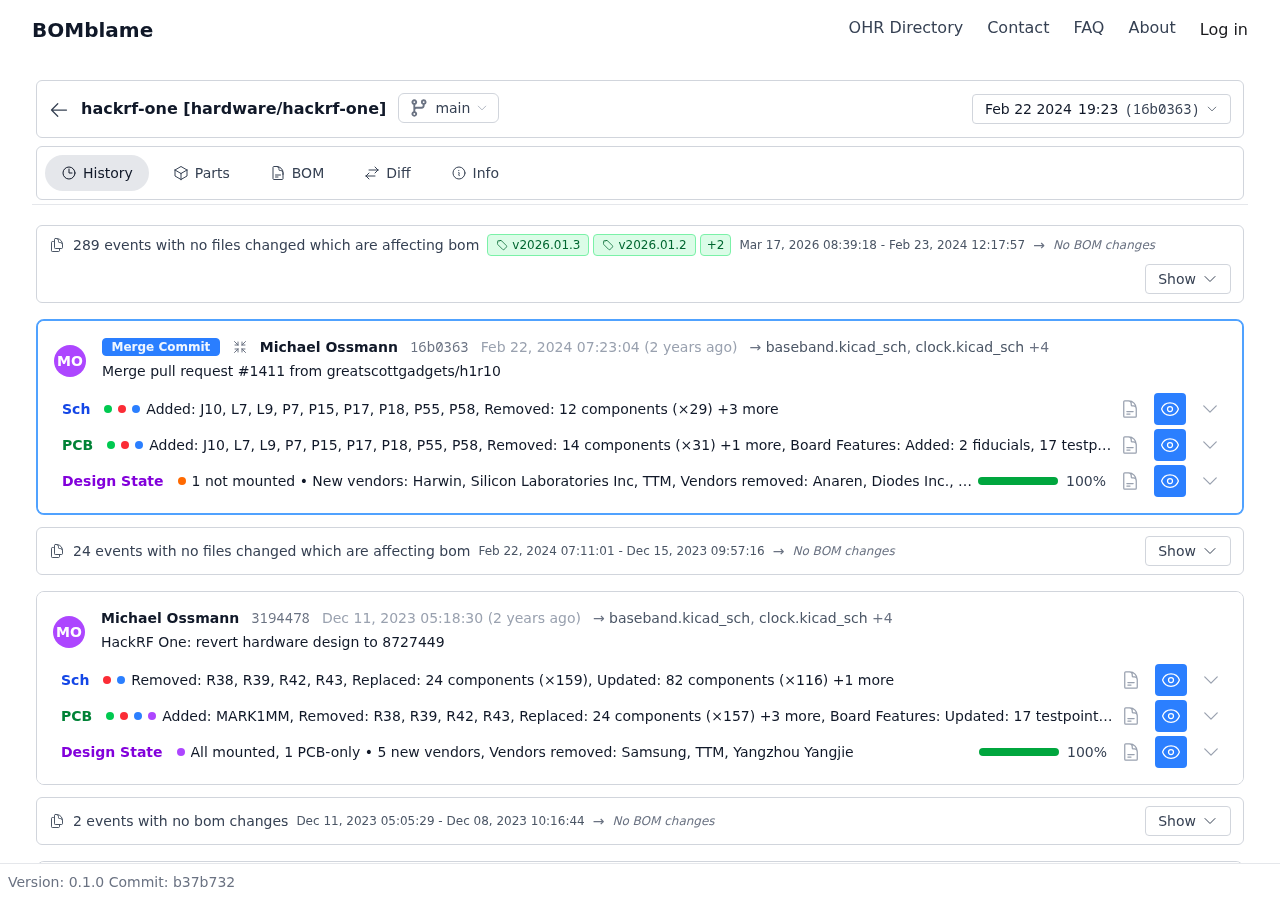
The timeline shows every commit that touched the BOM. Not just "files changed" — actual BOM-level changes with summaries:
- Components added/removed/replaced count per commit
- Design state progression (how mounting % changed)
- Merge commits and branch context
Click any commit to jump to that revision's BOM, or select two commits to compare.
Try It Yourself
No signup needed. Click through the tabs: BOM, Diff, Blame, Parts, History. That's what BOMblame does — makes 10 years of hardware engineering navigable in seconds.
Open HackRF One →