BOM Table: Community Hardware, Fully Parsed
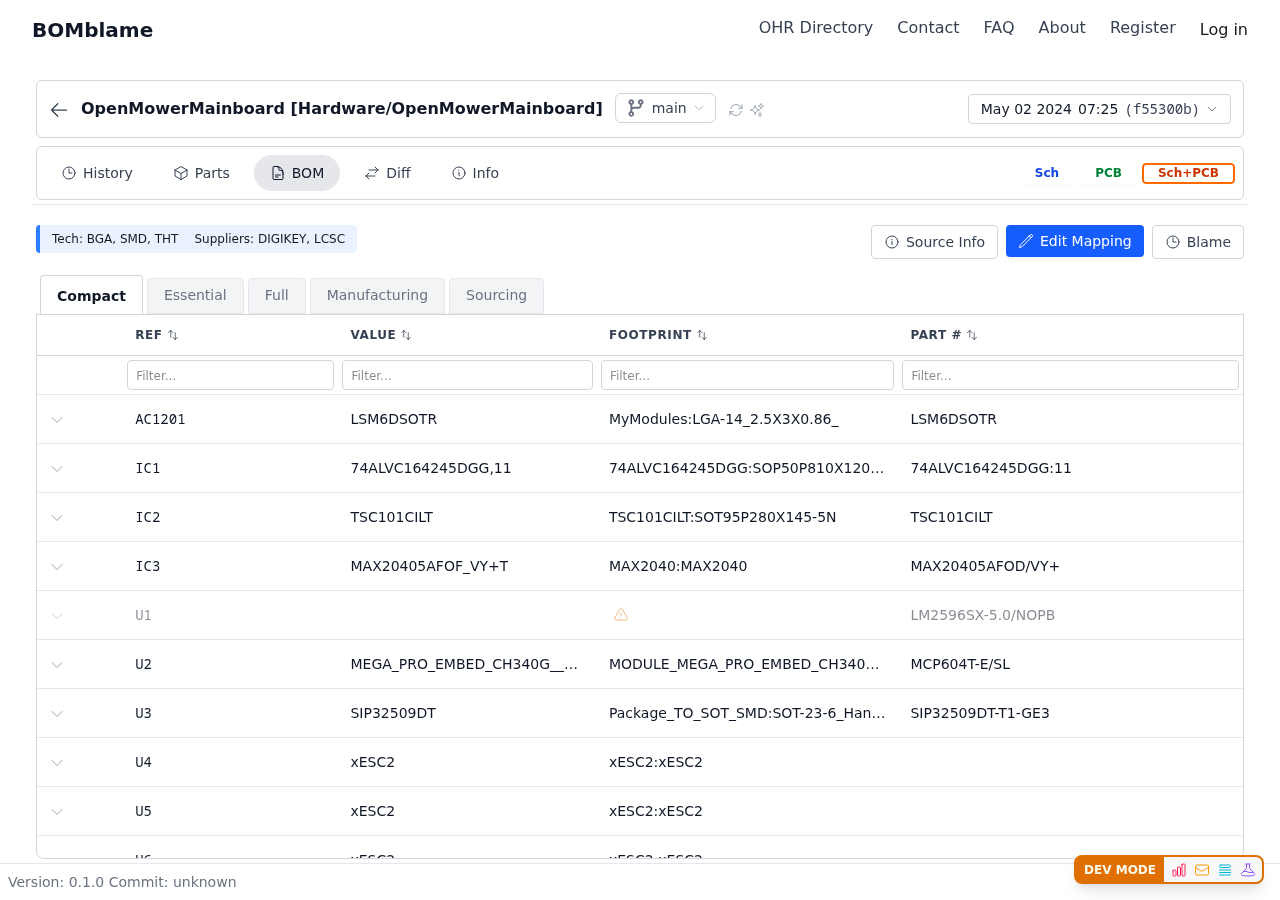
The BOM is parsed directly from KiCad schematic and PCB files — no manual export needed. Every commit that touched the hardware files generates a new BOM snapshot automatically.
Switch to the Sourcing tab and check LCSC readiness. OpenMower's community spent significant effort adding LCSC codes for JLCPCB assembly — BOMblame shows you which parts have codes and which are still missing.
Diff: Track What Changed Across Revisions
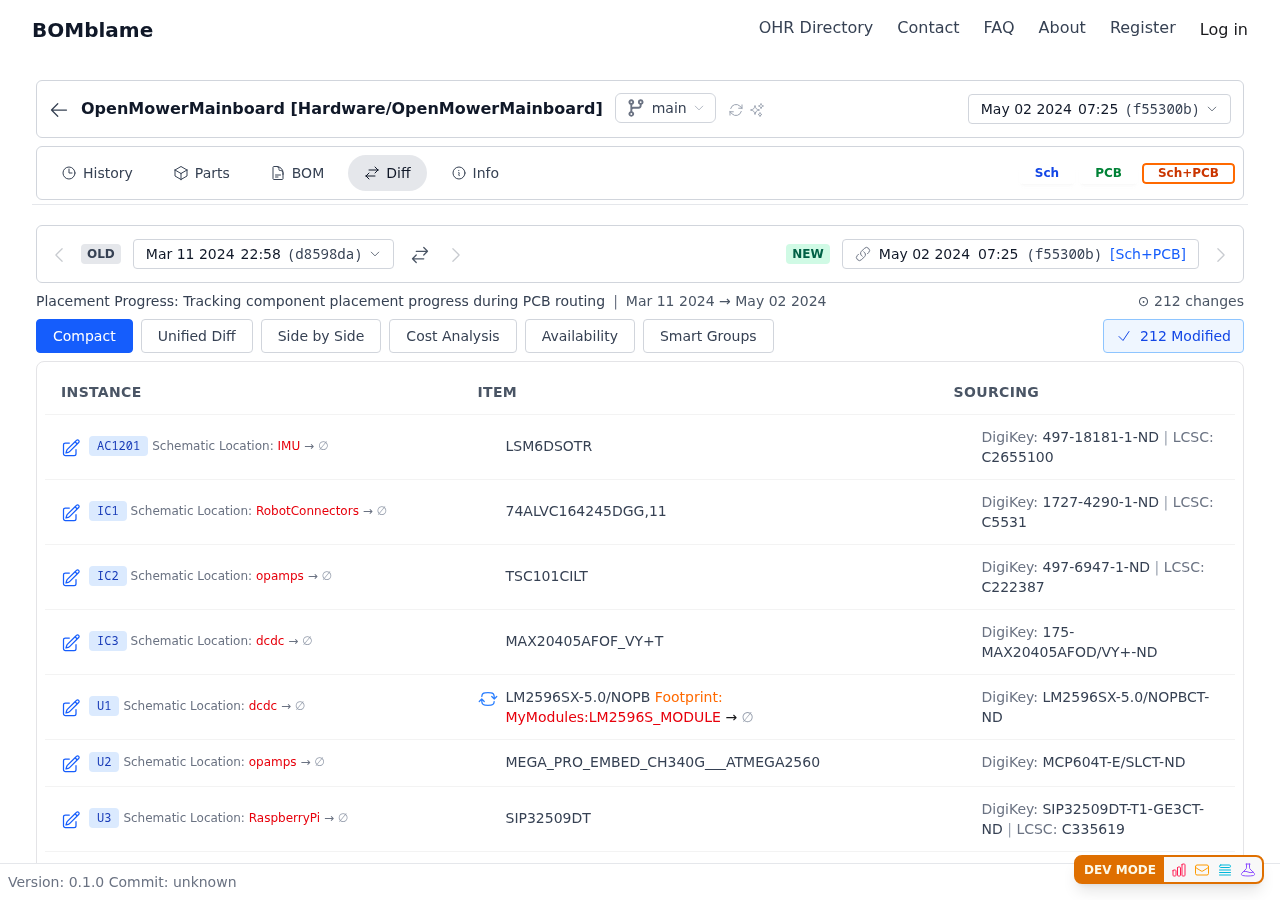
Compare any two commits and see component-level changes:
- Instance changes — reference designators added, removed, or moved
- Sourcing changes — new LCSC codes, updated manufacturer part numbers
- Value changes — resistor and capacitor value adjustments after testing
What this looks like in practice: Select the v0.9.1 rework and the v0.9.3 release, and you see exactly what the hardware revision changed — pin swaps, added jumpers, removed optional capacitors. Not a file diff — a component diff.
Parts: Unique Components Across the Project
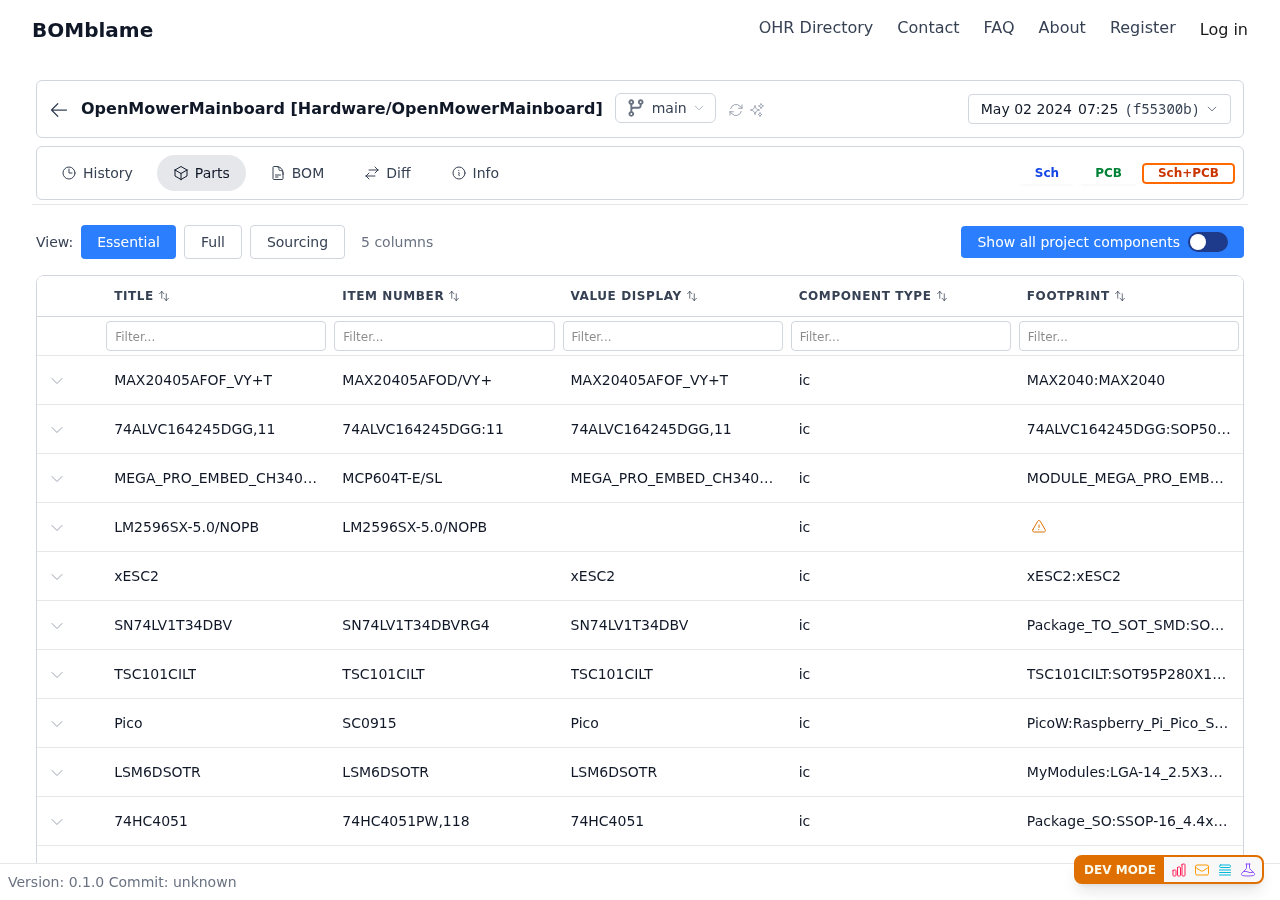
The Parts tab deduplicates all components and shows you the unique parts library. For OpenMower's 404 components, this is your quick reference:
- What footprints are we using?
- Do we have item numbers for everything?
- What's the full component palette of this design?
Useful when you're building your own OpenMower and want to pre-order parts, or when you need to check if a specific component is used.
Design State: Is This Board Ready to Manufacture?
Design State answers the question every hardware engineer asks before sending gerbers:
- Mounting progress — are all components placed on the PCB?
- Sourcing progress — do all parts have supplier information?
For community projects like OpenMower where contributors add BOM data incrementally, this progress bar tells you at a glance how "complete" any given revision is.
History: See Who Changed What, When
The history timeline shows every commit with BOM-level change summaries. For OpenMower, you can see:
- Clemens doing the initial design sprint (5 days from blank schematic to ordered PCB)
- Community PRs adding LCSC codes and pick-and-place data
- A reverted contribution that didn't work out
- Ongoing BOM maintenance as parts go in and out of stock
Each entry shows component counts (added, removed, modified) — not just "files changed."
Try It Yourself
Check the BOM. Switch to Sourcing view and see how JLCPCB-ready it is. Open Diff and compare two versions.
Open OpenMower Mainboard →